
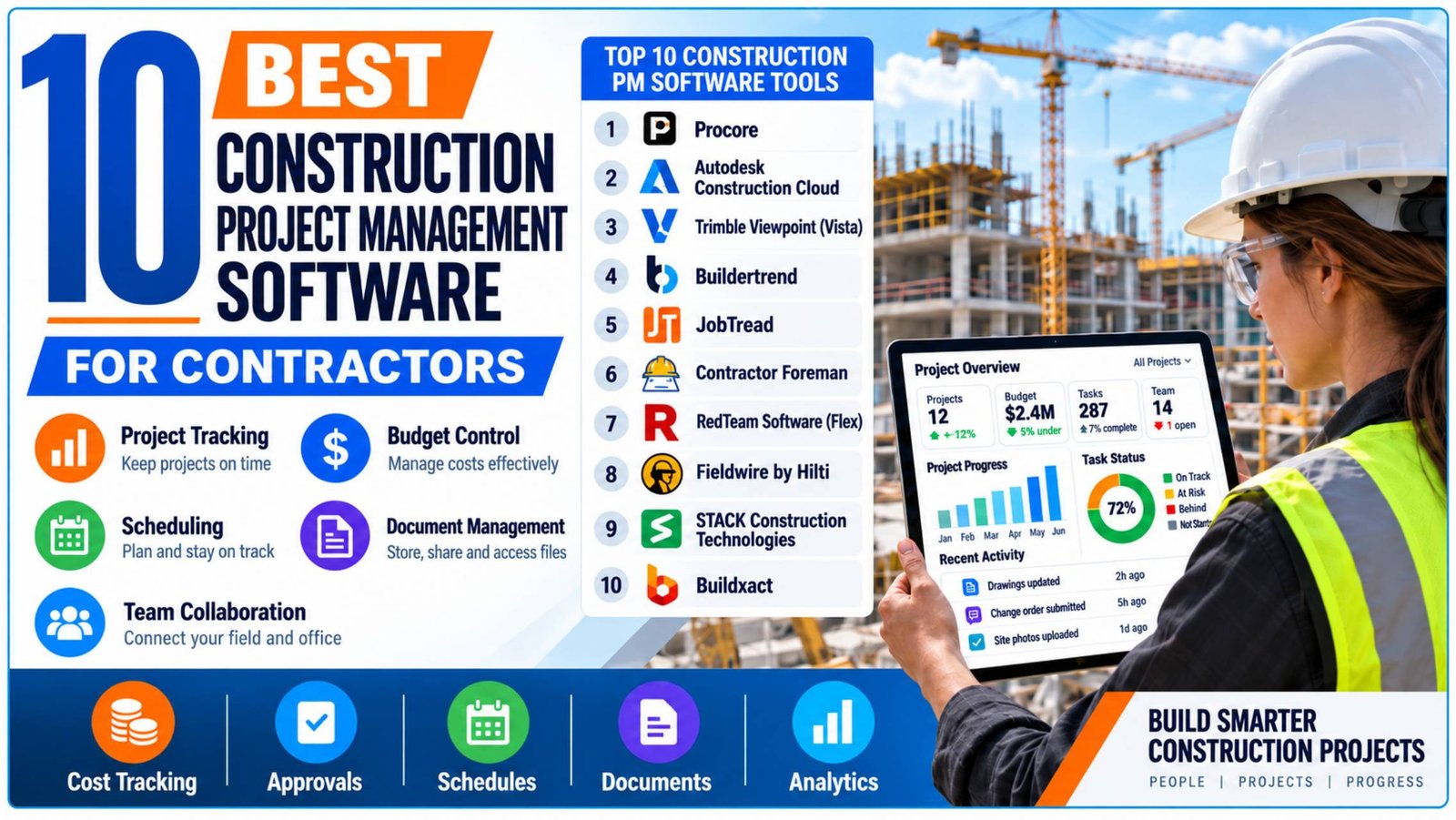
Construction project management software isn’t one category — a 500-person commercial GC and a five-person remodeling outfit need almost nothing in common from a platform. This guide is organized around that reality: it groups ten platforms by the type of construction business and project they actually fit, rather than forcing them into a single 1-to-10 ranking that would imply a $50M enterprise GC and a residential remodeler should be shopping the same shortlist.
Who this is for: owners, PMs, and operations leads at general contractors, specialty/trade contractors, and residential builders or remodelers comparing the best construction management software for managing RFIs, submittals, scheduling, budgets/job costing, drawings, and field coordination.
What this is not: a hands-on review. Nothing on this list was independently tested by our editorial team — no trial accounts were run through live projects. Every claim below is drawn from vendor websites, vendor pricing pages, and third-party review platforms (G2, Capterra), each cited inline. Where a fact couldn’t be verified from a reliable source, we’ve said so rather than guessing.
| 01Methodology and Selection Criteria | 08Buildxact |
| 02At a Glance | 09Contractor Foreman |
| 03Procore | 10RedTeam Software (Flex) |
| 04Autodesk Construction Cloud | 11Fieldwire by Hilti |
| 05Trimble Viewpoint (Vista) | 12STACK Construction Technologies |
| 06Buildertrend | 13Frequently Asked Questions |
| 07JobTread |
● No single platform suits every contractor.
● Procore and Autodesk suit larger contractors.
● Buildertrend, JobTread, and Buildxact suit residential teams.
● Pricing ranges from free plans to custom quotes.
● Check current pricing and ratings before choosing.
Quick Comparison: Top 10 Project Management Tools in
| Software | Best For | Starting Price | G2 Rating | Capterra Rating |
|---|---|---|---|---|
| Procore | Enterprise general contractors, full project lifecycle | Custom quote (annual contract) | 4.6/5 (4,296 reviews) | 4.5/5 (2,674 reviews) |
| Autodesk Construction Cloud | Enterprise GCs on BIM-connected/design-heavy projects | Custom quote | 4.4/5 (5,444 reviews)* | 4.3/5 (2,210 reviews)* |
| Trimble Viewpoint (Vista) | Mid-large GCs needing construction ERP + job-cost accounting | Custom quote | 4.0/5 (137 reviews) | 3.8/5 (265 reviews) |
| Buildertrend | Custom/semi-custom home builders and remodelers | Custom quote | 4.3/5 (230 reviews) | 4.5/5 (2,486 reviews) |
| JobTread | Residential builders, remodelers, specialty trades | $199/mo (1 internal user) + per-seat tiers | 5.0/5 (101 reviews)** | 4.9/5 (143 reviews) |
| Contractor Foreman | Small-to-mid contractors on a budget | $49/mo (1 user) | 4.5/5 (381 reviews) | 4.5/5 (review count unconfirmed)*** |
| RedTeam Software (Flex) | Small-to-mid commercial GCs moving off spreadsheets | From $10,000/yr (scales with project value) | 4.4/5 (54 reviews) | 4.2/5 (195 reviews) |
| Fieldwire by Hilti | Field crews, plan markup, task coordination | Free (5 users) / $39/user/mo Pro | 4.5/5 (585 reviews) | 4.6/5 (99 reviews) |
| STACK Construction Technologies | Estimators and GCs on takeoff-to-build workflow | From $49/user/mo (Build & Operate) | 4.5/5 (89 reviews) | 4.5/5 (1,399 reviews) |
| Buildxact | Small residential builders and renovators | From $169/mo (annual, Foundation tier) | 4.3/5 (66 reviews) | 4.6/5 (183 reviews) |
Methodology and Selection Criteria
We selected project management tools for construction that are purpose-built for construction workflows, including scheduling, RFIs, submittals, job costing, estimating, drawings, punch lists, and field reporting. Generic project-management tools and accounting-only platforms without project-coordination features were excluded.
The ten platforms were chosen to represent enterprise contractors, mid-market firms, residential builders, remodelers, and field or estimating specialists. Inclusion does not mean one platform is better than every other option.
Pricing was checked from vendor sources where available. Quote-only pricing is clearly noted, while G2 and Capterra ratings are used only as user-sentiment indicators and may change over time.
Enterprise General Contractors
Procore
Procore Technologies was founded in 2002 and is headquartered in Carpinteria, California (Wikipedia). As Construction Software for Contractors, Procore is built around the full project lifecycle across commercial, residential, and industrial general contracting, specialty/subcontractor, and owner use cases
Pros
✓ Full project lifecycle tools in one platform
✓ Unlimited users and storage included
✓ Large third-party app marketplace
Cons
✕ No publicly listed flat pricing
✕ Sold through an annual contract
✕ Field Productivity is priced separately per FTE
Key Features
Pricing
Custom quote: Procore uses annual custom-quoted contracts with unlimited users and storage. Field Productivity is priced separately per FTE.
Autodesk Construction Cloud (Autodesk Build)
Autodesk was founded in 1982 and is headquartered in San Francisco, California (Wikipedia). Autodesk Construction Cloud grew out of Autodesk’s BIM 360 Build product plus its 2018 acquisitions of PlanGrid and BuildingConnected, and targets GCs, specialty contractors, and owners running BIM-connected design-to-build workflows.
Pros
✓ BIM-connected design-to-build workflow
✓ Configurable submittal review workflows
✓ Cost, schedule and issue-management tools
Cons
✕ No published dollar pricing
✕ Review listings are affected by product renaming
✕ Build-specific review evidence is difficult to isolate
Key Features
Pricing
Custom quote: Autodesk offers flexible user-, project- and account-based pricing without publishing fixed dollar amounts.
Trimble Viewpoint (Vista)
Viewpoint Construction Software traces to 1976 and was headquartered in Portland, Oregon before Trimble acquired it in 2018 for roughly $1.2 billion (Clutch; PR Newswire). The 1976 date comes from a business directory rather than Trimble’s own site — treat it as provisional. When comparing Top Construction Project Management Platforms, Vista is particularly relevant to mid-to-large contractors that need integrated back-office accounting alongside field and project management
Pros
✓ Deep construction job-cost accounting
✓ Payroll and workforce management
✓ Equipment cost and service management
Cons
✕ Pricing is not publicly listed
✕ RFIs and submittals are not marketed as native Vista features
✕ More back-office ERP than field-collaboration tool
Key Features
Pricing
Custom quote: Trimble does not publish Vista pricing and requires a sales enquiry.
Residential Builders and Remodelers
Buildertrend
Buildertrend was founded in 2006 by Dan Houghton, Jeff Dugger, and Steve Dugger, and is headquartered in Omaha, Nebraska; this date is confirmed via the company’s own 20th-anniversary coverage rather than an independent record (Silicon Prairie News). It is built for custom and semi-custom home builders, remodelers, and residential-adjacent contractors. For teams evaluating construction project planning software, Buildertrend combines scheduling with estimating, job costing, field tools, and client or subcontractor communication
Pros
✓ Strong residential-builder focus
✓ Client and subcontractor portals
✓ Estimating, job costing and field tools
Cons
✕ No public flat pricing
✕ Pricing requires a sales quote
✕ Primarily focused on residential construction
Key Features
Pricing
Custom quote: Buildertrend uses tailored pricing. Annual billing receives a 10% discount according to your article.
JobTread
JobTread was founded in 2019 by CEO Eric Fortenberry and is headquartered in Dallas, Texas, per the company’s own site — this is a first-party source not independently corroborated elsewhere, so treat it as reliable but self-reported (JobTread). It targets home builders, remodelers, pool/outdoor-living contractors, roofers, and other specialty trades, built to scale from small to mid-size operations
Pros
✓ Covers CRM through project closeout
✓ Unlimited free external users
✓ No setup fee and published pricing
Cons
✕ $199/month includes one internal user
✕ Additional internal users increase cost
✕ Ratings have a smaller review sample
Key Features
Pricing
$199/month: Includes the first internal user. Additional internal users use tiered pricing, with roughly 20% off annual billing.
Buildxact
Buildxact states it was founded in 2011; the company’s own site lists “7 locations worldwide” without naming a single headquarters, and Crunchbase’s founding-date field was not independently accessible during research, so treat the founding year as vendor-claimed rather than independently confirmed (Buildxact; Crunchbase). It targets residential builders, renovators, and remodelers, plus suppliers and dealers.
Pros
✓ Digital takeoff and AI-assisted estimating
✓ QuickBooks and Xero integration
✓ Client selections and digital signatures
Cons
✕ RFI management is not listed as a named capability
✕ Punch lists and drawing markup are not detailed as named capabilities
✕ Annual plans require a 12-month commitment
Key Features
Pricing
Go: $0 base. Foundation: from $169/month annually. Pro: from $339/month annually. Master: from $509/month annually.
Small-to-Mid Commercial Contractors
Contractor Foreman
Contractor Foreman is headquartered in Forest City, North Carolina. Its founding year could not be verified from its own about page or from accessible company-data sources during this research, so none is stated here (Contractor Foreman). For smaller firms comparing Software for Construction Companies, Contractor Foreman targets small-to-mid general and specialty/trade contractors, with affordability as a central part of its positioning and claimed use across 75+ countries.
Pros
✓ Broad 40-plus-module feature set
✓ Lower entry pricing than many full suites
✓ 30-day free trial
Cons
✕ Basic plan includes only one user
✕ User limits apply below Unlimited
✕ Capterra review counts were inconsistent during research
Key Features
Pricing
Basic: $49/mo · Standard: $105/mo · Plus: $166/mo · Pro: $221/mo · Unlimited: $332/mo, based on annual billing.
RedTeam Software (Flex)
RedTeam Software was founded in 2006 per its own site; its Orlando, Florida headquarters is confirmed via a Better Business Bureau listing rather than RedTeam’s own about page (RedTeam; BBB). For buyers comparing Construction Management Solutions 2026, RedTeam Flex is aimed at small-to-midsize commercial GCs moving away from spreadsheets and shared drives. Note that RedTeam sells two distinct products — RedTeam Flex and RedTeam Go — with separate reviews and pricing; this entry covers Flex, the more established of the two.
Pros
✓ Designed for small-to-midsize commercial GCs
✓ Active Project Value-based pricing
✓ Guided onboarding model
Cons
✕ Entry pricing starts at $10,000/year
✕ Pricing scales with active project value
✕ Smaller review sample than many competitors
Key Features
Pricing
From $10,000/year: Pricing is based on Active Project Value, beginning at this level for less than $4 million in active project value.
Field and Estimating Specialists
Fieldwire by Hilti
Fieldwire was founded in 2013 in San Francisco by Yves Frinault (CEO) and Javed Singha (President); Hilti acquired a majority stake in 2021 (Fieldwire Fact Sheet; Crunchbase). It’s positioned as “field-first” for GCs, specialty/sub contractors, owners, and architects across commercial, industrial, heavy-civil, and residential projects.
Pros
✓ Free Basic plan for up to five users
✓ Strong mobile plan-markup workflow
✓ BIM viewer and field-focused tools
Cons
✕ RFIs and submittals require Business Plus
✕ Change orders and budgeting also require Business Plus
✕ Paid tiers are charged per user
Key Features
Pricing
Basic: Free for up to 5 users and 3 projects. Pro: $39/user/mo. Business: $64/user/mo. Business Plus: $89/user/mo.
STACK Construction Technologies
STACK is headquartered in Cincinnati, Ohio. Its founding year could not be verified from Crunchbase or its own press materials during this research and is omitted rather than guessed (Crunchbase). For teams comparing the Best Project Management Tools for Builders, STACK is most relevant where takeoff, estimating, plan control, and field/project workflows need to connect in one system. It targets general contractors, specialty/sub trades, estimators, project managers, and material suppliers across commercial and residential work.
Pros
✓ Strong digital takeoff and estimating workflow
✓ AI-assisted takeoff automation
✓ Real-time plan-markup collaboration
Cons
✕ RFIs are not explicitly listed as a capability
✕ Formal scheduling is not explicitly named
✕ Published figures are minimum prices
Key Features
Pricing
Takeoff & Estimate: as low as $249/user/mo. Build & Operate: as low as $49/user/mo. Full Platform: as low as $298/user/mo. Actual pricing is customized.
This Construction Project Software Comparison shows why the right choice depends on company size, project type, budget, and workflow. Enterprise contractors may need lifecycle-wide coordination and financial controls, while smaller builders or specialist teams may get better value from focused estimating, scheduling, field, or residential tools.
FAQs
Is this list ranked?
No. It’s organized by the type of construction business each platform fits best. Order within a group doesn’t imply preference — see the methodology section above for why.
Why isn’t [X well-known platform] on this list?
This guide covers ten platforms chosen to represent the range of construction business types, not an exhaustive market survey. Pure accounting/ERP platforms without field-coordination features were also intentionally excluded — see methodology.
Will pricing and ratings stay accurate?
No — both are time-sensitive by nature. Every figure here is dated September 4, 2026, and construction software vendors change pricing tiers and packaging regularly. Confirm current pricing directly with the vendor before making a purchasing decision.
Related posts:
- Fleet telematics data promised construction companies visibility and created a new kind of IT problem
- The Dynamic Role of Cloud Integration in Modern Business Operations
- The Power Of Tip Screen In The Digital World Today To Improve The Customer Experience
- Revolutionizing Underground Construction: The Future Of Pipe Pulling Technologies