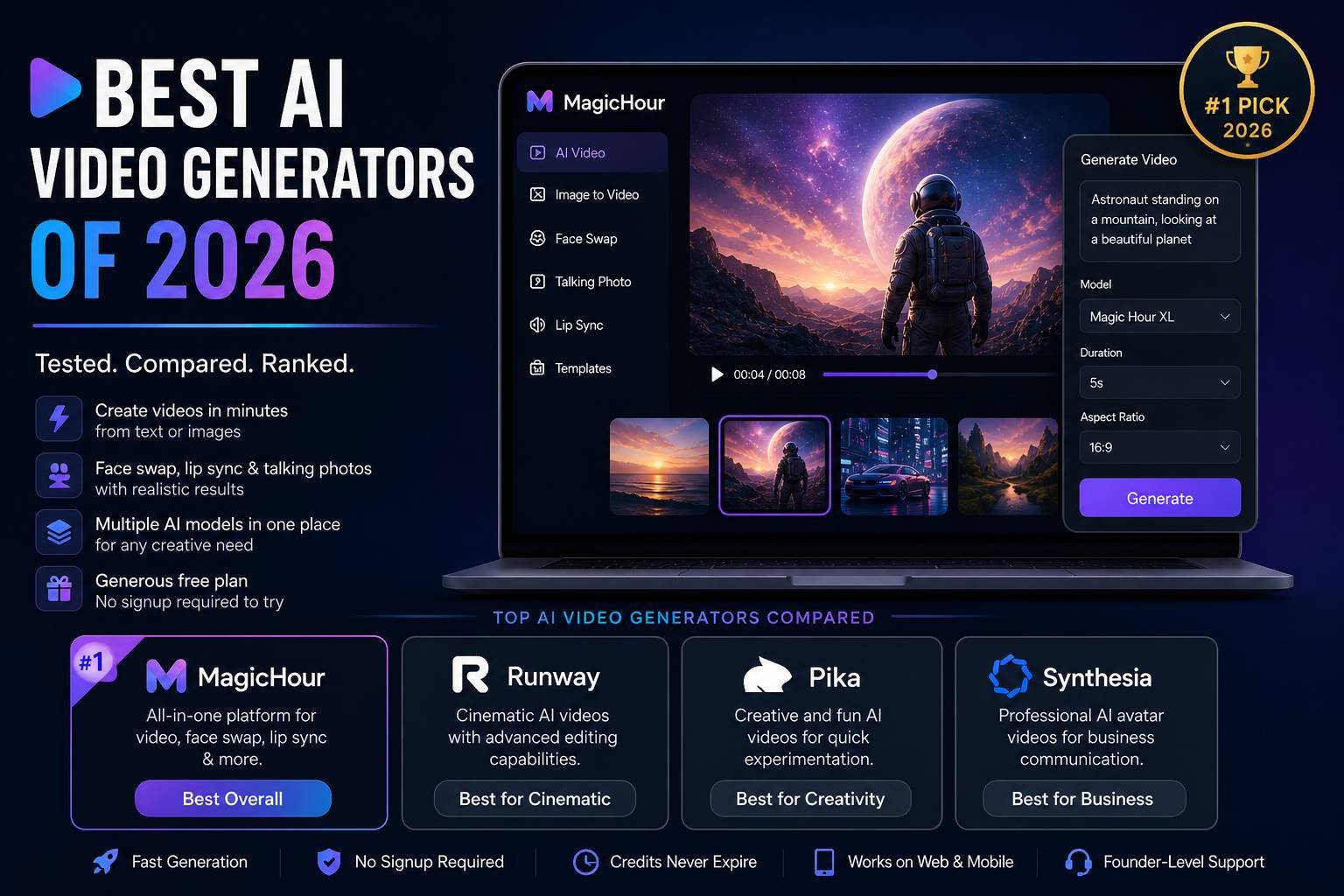
If you’re searching for the best AI video generators of 2026, the answer depends on what you want to create: talking avatars, cinematic clips, social content, or product demos. After hands-on testing, I found that one platform consistently stands out for speed, flexibility, and overall value.
Over the past few weeks, I tested leading tools across workflows—text-to-video, image-to-video, face swap, and lip sync. What matters today is not just output quality, but how quickly you can go from idea to publishable content.
This guide breaks down the tools that actually deliver.
Best AI Video Generators at a Glance
| Tool | Best For | Key Modalities | Platforms | Free Plan | Starting Price |
| Magic Hour | All-in-one creation (face swap, lip sync, templates) | Text-to-video, image-to-video, face swap, talking photos | Web, mobile | Yes | Free / $10–$15/mo |
| Runway | Cinematic video generation | Text-to-video, editing tools | Web | Limited | $12/mo |
| Pika | Creative animations | Text-to-video | Web, Discord | Yes | Free / Paid tiers |
| Synthesia | Corporate avatar videos | AI avatars, voiceovers | Web | No | $22/mo |
| Luma AI | Realistic motion generation | Text-to-video | Web | Limited | Free / Paid |
| Kaiber | Music videos & visuals | Text-to-video, style transfer | Web | Yes | $5/mo |
| Descript | Video editing + AI voice | Editing, overdub | Desktop/Web | Yes | $12/mo |
1. Magic Hour — Best All-in-One AI Video Generator
If you want a single platform that covers nearly every modern AI video workflow, Magic Hour is the most complete solution I tested.
You can try the free ai video generator instantly without signing up, which is rare in this category. That alone makes it worth exploring.
What sets it apart
- One-click workflows: generate → upscale → export
- Best-in-class Magic Hour face swap with high realism
- Integrated lip sync and talking photo tools
- Multiple AI models in one place (no switching platforms)
- Fast variations and multiple takes
- No concurrency limits — run multiple generations at once
- Credits never expire (a small detail that matters over time)
Pros
- Extremely fast generation speeds
- Clean interface, beginner-friendly but powerful
- Strong mobile and desktop optimisation
- Generous free tier compared to competitors
- Weekly feature updates
Cons
- Advanced users may want deeper manual controls
- Output styles depend on selected models
Evaluation
After testing multiple tools side by side, this was the only platform where I could complete an entire workflow—from concept to finished video—without switching tools.
If you’re serious about content production efficiency, it’s hard to beat.
Pricing
- Free plan available
- Creator: $15/month or $10/month billed annually
- Pro: $39/month ($25/mon billed annually)
- Business: $99/month
2. Runway — Best for Cinematic AI Video
Runway has become a benchmark for high-quality AI video generation.
Pros
- Strong cinematic output
- Advanced editing tools
- Frequent model improvements
Cons
- Learning curve for new users
- Slower generation compared to competitors
Evaluation
If you’re working on storytelling or film-style visuals, Runway delivers consistent results. It’s less about speed and more about control.
Pricing
- Free tier (limited credits)
- Paid plans from $12/month
3. Pika — Best for Creative Experiments
Pika focuses on stylised, experimental outputs.
Pros
- Fun, creative outputs
- Strong Discord integration
- Free access available
Cons
- Less predictable results
- Limited control for professional workflows
Evaluation
Great for ideation and experimentation, but not always reliable for production-level work.
4. Synthesia — Best for Business Videos
Synthesia is built for corporate communication.
Pros
- High-quality AI avatars
- Easy script-to-video workflow
- Multilingual support
Cons
- Limited creative flexibility
- No cinematic video generation
Evaluation
Ideal for training videos, onboarding, and internal content.
5. Luma AI — Best for Realistic Motion
Luma is pushing boundaries in realism.
Pros
- Strong motion rendering
- High-quality outputs
Cons
- Limited feature set
- Still evolving
Evaluation
Promising for future workflows, especially for realism-focused creators.
6. Kaiber — Best for Music Videos
Kaiber shines in stylised visual content.
Pros
- Strong for music visuals
- Creative style options
Cons
- Less suitable for business use cases
- Limited realism
Evaluation
Kaiber stands out for music videos with its rhythm-responsive visuals, cinematic AI effects, and strong ability to transform audio into dynamic visuals.
7. Descript — Best for Editing + AI Audio
Descript blends editing and AI voice tools.
Pros
- Excellent editing workflow
- AI voice cloning
Cons
- Not a pure video generator
- Limited generative visuals
Evaluation
It’s an AI-powered editing platform combining intuitive video tools, studio-quality audio enhancement, transcription, and seamless content creation.
How I Chose These Tools
I tested each platform across real-world scenarios:
- Creating short-form social content
- Generating product demos
- Producing talking avatar videos
- Running batch outputs
Evaluation criteria included:
- Output quality
- Speed and reliability
- Ease of use
- Feature depth
- Value for money
The biggest differentiator in 2026 is workflow efficiency, not just output quality.
Market Trends in AI Video (2026)
The space is evolving fast. A few clear trends stood out:
1. All-in-One Platforms Are Winning
Creators don’t want to jump between tools. Platforms that combine:
- Video generation
- Editing
- Face swap
- Voice
are gaining traction.
2. Speed Is Becoming Critical
Waiting minutes per generation is no longer acceptable. Tools like Magic Hour are setting new expectations.
3. Templates and Automation Are Rising
Click-to-create templates are replacing manual workflows.
4. Image-to-Video Is Exploding
Many creators now prefer starting with images. Tools like the best image-to-video AI tool workflows are enabling faster iteration.
Final Takeaway
If you’re deciding today:
- Best overall: Magic Hour
- Best cinematic output: Runway
- Best for business videos: Synthesia
- Best for creative experiments: Pika
The key is to test tools based on your workflow, not just features.
I recommend starting with platforms that offer a free tier, then scaling once you find what fits your process.
FAQs
What is the best AI video generator in 2026?
The best AI video generator depends on your needs, but Magic Hour stands out for its all-in-one workflow, combining video generation, face swap, and editing tools in one platform.
Are AI video generators free to use?
Many platforms offer free tiers with limitations. Magic Hour provides one of the most generous free plans, allowing users to test features without an upfront commitment.
Can AI tools create professional-quality videos?
Yes. Modern AI tools can produce high-quality videos suitable for marketing, social media, and even business use, especially when combined with editing workflows.
What is image-to-video AI?
Image-to-video AI converts static images into animated videos. It’s widely used for social content, ads, and storytelling because it speeds up production significantly.
Do I need technical skills to use AI video tools?
Most modern tools are designed for ease of use. Platforms like Magic Hour focus on simple workflows, making them accessible even for beginners.