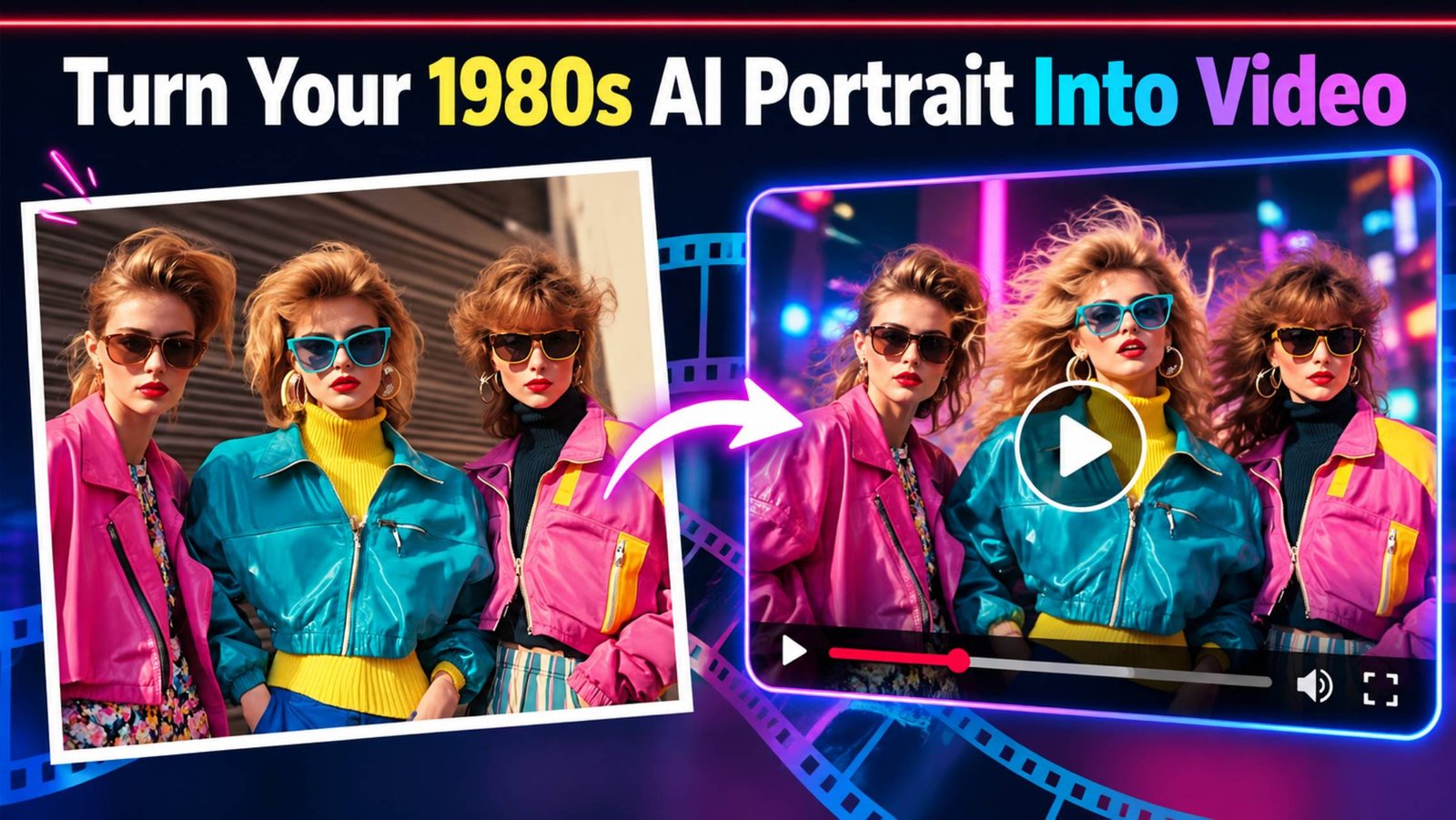
Once you’ve created a convincing 1980s AI portrait, the natural next step is to bring AI Portraits to Life with a slow head turn, hair catching a breeze, or that studio-flash moment continuing for three or four seconds instead of sitting still. Right now, the honest answer is: yes, with two of the tools people usually reach for, but not with the third one everyone assumed would be part of this conversation. That third one is worth explaining first, because it’s a useful reminder of how fast this space is moving.
Key Takeaways
-
- Photo-to-video AI can animate a still 1980s portrait with subtle movements such as head turns, smiles, hair movement, and gentle camera motion.
- Grok Imagine and Gemini’s Veo-based video tools are currently practical options for turning AI portraits into short animated clips.
- Short, simple motion prompts usually produce better results than complex scenes, dialogue, or multiple actions packed into one clip.
- Preserving 1980s photo aesthetics means keeping the original film grain, colour treatment, lighting, and period look consistent throughout the animation.
- AI video tools change quickly, so the most useful long-term skill is writing clear motion prompts and treating the first generated clip as a draft that can be refined.
The Tool That’s No Longer Part of This Conversation
For much of the past year, OpenAI’s Sora was the name most associated with AI video generation. It isn’t currently available to use: the standalone Sora web and app experiences were shut down in late April 2026, and the Sora API followed suit on 24 September 2026 — just days before this was written. OpenAI’s own guidance to users was to export anything they wanted to keep before that date.
It’s also worth knowing that even while Sora was active, using it to Turn Photos Into Videos — including one of your own AI-generated retro portraits — was never as simple as uploading an image. Sora’s system specifically rejected input images containing human faces unless you went through its separate “Characters” feature (previously called Cameo), a verified, consent-based system where you recorded your own likeness directly and controlled who could use it. A finished 1980s portrait uploaded as a plain image file wouldn’t have cleared that bar even before the shutdown.
The practical takeaway: don’t plan around Sora right now. The two tools below are the current, actually usable options for this specific job.
Grok Imagine (xAI)
Grok Imagine is a practical example of Photo to Video AI: it takes a single still image plus a written description of the motion you want and turns it into a short clip. xAI describes the process as taking “a starting frame and a prompt describing the motion” and producing “fluid, cinematic video” from it. You can set the resolution and clip length, with videos generating at up to 720p and clip lengths demonstrated up to around ten seconds. You can also describe sound design in your prompt, which the tool will attempt to generate alongside the visual motion.
The detail that matters most for this specific use case: xAI’s own documentation notes that the model “holds detail and lighting from the input frame, so the result continues the original image rather than reinterpreting it.” In practice, that means your existing retro portrait is used as the actual starting point of the video, not redrawn from scratch — which is a meaningfully different, and generally more reliable, situation than the face-preservation challenges covered elsewhere in this series for still-image generation. That continuity is especially useful for preserving 1980s Photo Aesthetics, where film grain, period colour, lighting and subtle photographic imperfections are an important part of the finished look.
Example prompt to try:
Animate this image with a slow, gentle camera push toward the subject. Have them turn their head slightly and break into a warm smile partway through the clip. Add subtle ambient movement — hair shifting slightly, a faint flicker of studio light. Keep the film grain and colour treatment of the original image consistent throughout. Ten seconds, 720p.
Gemini’s Video Model (Veo 3)
Google’s Gemini app offers another route into AI Portrait Animation through its photo-to-video feature, built on the company’s Veo 3 model. You upload a photo, describe the scene and any audio you want, and it generates an eight-second clip with sound. It’s currently rolling out to Google AI Pro and Ultra subscribers in select countries, so access depends on your subscription tier and region.
One thing to know going in: Google applies safety filtering around photorealistic human images, including a “famous person” style policy, and independent user reports describe occasional false positives—a clip getting rejected because the system mistakenly flags an ordinary uploaded face as resembling a public figure. If that happens with your retro portrait, it’s usually worth trying again with a slightly different framing or description rather than assuming the tool simply won’t work with your photo.
Every video Gemini generates carries both a visible and an invisible watermark identifying it as AI-generated — a sensible default for AI Photo Animation, and one that lines up with the disclosure habits worth keeping regardless of which tool you use.
Example prompt to try:
Bring this photo to life with a subtle, natural motion: a slight smile, a small head tilt, hair moving gently as if in a light indoor breeze. Add soft ambient sound appropriate to the setting — a record playing quietly in the background, or faint room tone. Keep the period colour and film-like quality of the original photo throughout the clip.
What to Actually Expect
A convincing Retro AI Portrait Video does not need to become a mini scene with dialogue and a plot, and trying to push either tool that far tends to produce the least convincing results. The clips both tools are built for are short — eight to ten seconds — and work best when you ask for one or two specific, believable motions rather than an ambitious sequence of events.
Subtle is genuinely better here: a head turn, a smile forming, hair or fabric moving slightly, a background element like a spinning record or flickering television. Asking for someone to speak is one of the more reliable ways to get an uncanny result, since lip-sync on a stylized or AI-generated face is one of the harder things for these models to get convincingly right — it’s worth avoiding dialogue prompts for now if realism is the goal.
Also treat the first result as a draft, not a final product. Both tools respond to being asked for a smaller, more specific adjustment on a second pass — “less head movement,” “remove the camera zoom,” “make the smile more subtle” — the same iterative habit that works well for the still-image side of this trend.
A Fast-Moving Space, Worth Revisiting
The Sora situation is a useful reminder that this particular corner of AI tooling changes quickly enough that any specific recommendation has a shelf life measured in months, not years. The two tools covered here are the current, genuinely usable options if you want to Animate 1980s Photos and turn a retro AI image into a short clip — but the underlying skill, describing a small number of specific, believable motions rather than an elaborate scene, is what actually transfers from one tool’s interface to the next one that comes along.
FAQs
Can I still use Sora if I already have an account?
No — the web and app versions shut down in April 2026, and the API access that some third-party tools relied on was discontinued on 24 September 2026. Any Sora-based workflow now needs to move to a different tool.
Will my AI-generated retro photo work as a starting image, or does it need to be a real photo?
Both tools generally work from whatever image you give them as the first frame, so a previously AI-generated portrait should work the same way a real photo would—though Gemini’s safety filtering means an occasional false-positive rejection is possible either way.
Why does my video look worse the longer or more ambitious the prompt gets?
Both tools are built for short clips with a small number of specific motions. A 1980s ChatGPT prompt describing multiple actions, a scene change, or dialogue asks for more than an eight-to-ten-second clip can convincingly deliver.
Do these videos come with any kind of AI label?
Gemini’s output carries both a visible and invisible watermark by default. It’s worth adding your own caption noting a clip is AI-generated regardless of the tool, for the same reasons covered in our piece on the trend’s privacy and disclosure questions.
Is it worth trying this now, or should I wait for the tools to improve?
Both tools are capable enough right now to produce a genuinely fun, shareable result for a simple, subtle motion. Given how quickly this space has already shifted this year, waiting for “better” mostly just means waiting — it’s a reasonable one to try now and revisit again in a few months.
Final Thought
Six months ago, a reasonable guess at “the three tools for this” would have included one that no longer exists. That’s not a reason to skip this — Grok Imagine and Gemini’s video model both provide practical ways to Create Videos From AI Portraits right now — but it is a good reason to hold onto any specific tool recommendation loosely and focus on the part that does not go out of date: keep the motion small, keep the prompt specific, and treat the first result as a draft.