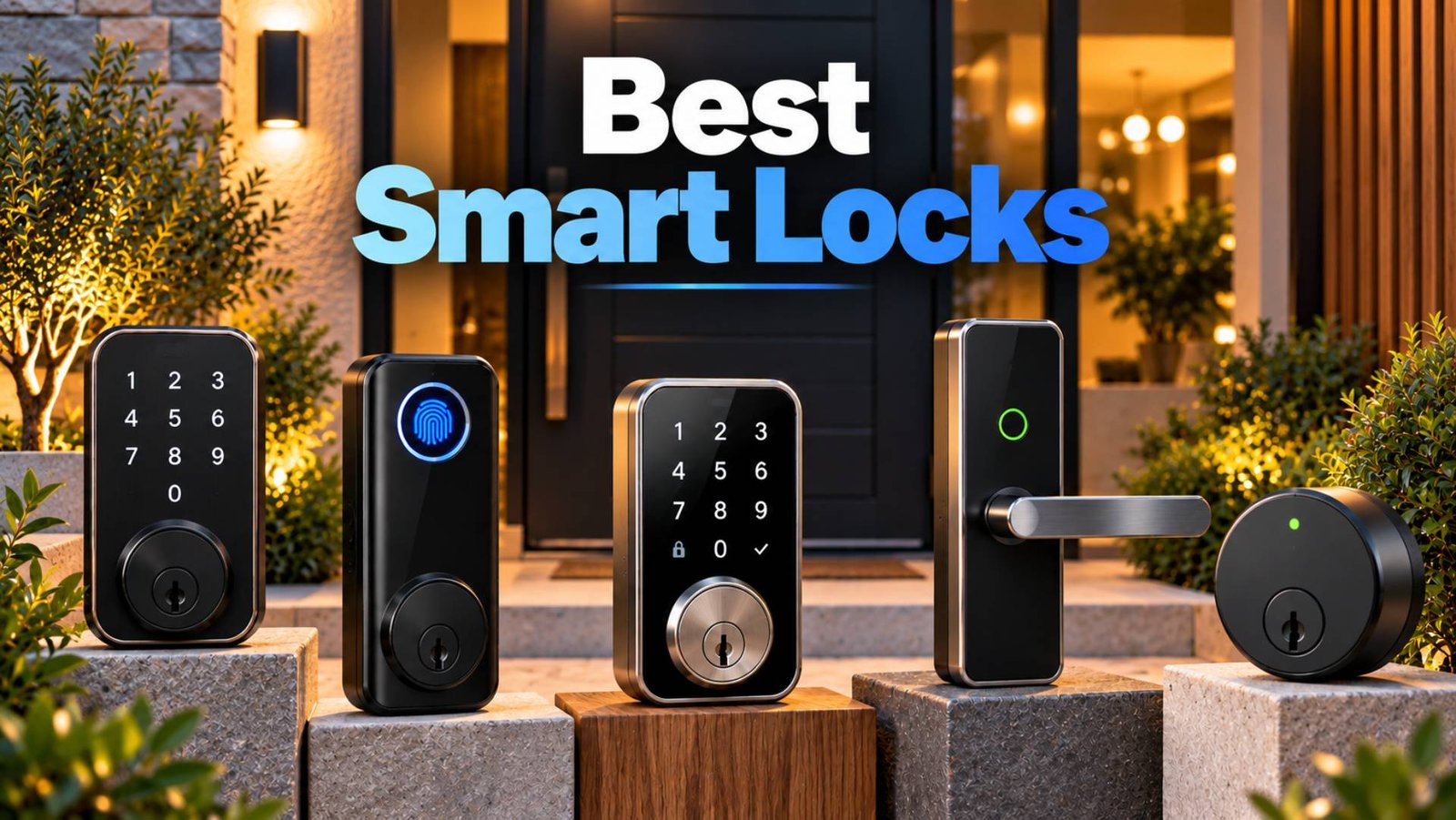
Smart locks can make everyday access easier without giving up the familiar security of a deadbolt. The strongest options now combine keypads, fingerprints, phone access, guest codes, remote control and, increasingly, Matter, Thread and Apple Home Key.
For this guide, we compared current smart locks on physical security, keyless-entry options, smart-home compatibility, installation, backup access and overall value. Product specifications and manufacturer pricing were checked on 28 September 2026. Prices below are US prices and can change by retailer, finish, promotion and region.
One important limitation: most products in this comparison are designed around North American single-cylinder deadbolt dimensions. Buyers elsewhere, particularly those with multipoint or mortice locking systems, should verify door compatibility before ordering.
╭──────────────────────────────────────────────────────────────╮
Quick Answer: Best Smart Locks at a Glance
★ Best overall: Schlage Encode Plus — A strong combination of certified physical security, built-in Wi- Fi, keypad access, Apple Home Key and a physical backup key.
★ Best advanced hands-free lock: Schlage Sense Pro — Adds Ultra Wideband hands-free entry and Matter over Thread, although it costs considerably more.
★ Best feature-rich smart lock: Aqara Smart Lock U400 — Combines fingerprint entry, keypad, Apple Home Key, UWB hands-free unlocking, Matter over Thread and a conventional key.
★ Best fingerprint lock for mainstream homes: Yale Assure Lock 2 Touch — Combines fingerprint recognition with keypad access, optional Wi-Fi and broad smart-home compatibility.
★ Best value for Matter and fingerprint access: ULTRALOQ Bolt Fingerprint — Provides several entry methods and a Matter-over-Thread option at a lower price than many premium models.
★ Best discreet design: Level Lock Pro — Hides most of its smart hardware inside the door while supporting Matter over Thread and Apple Home Key.
★ Best retrofit option: August Wi-Fi Smart Lock — Fits over the interior side of many existing deadbolts so the exterior hardware and original key can remain unchanged.
╰──────────────────────────────────────────────────────────────╯
Smart Lock Comparison
| Smart Lock | Best For | Entry Methods | Smart Home | Price |
|---|---|---|---|---|
| Schlage Encode Plus | ✦Best overall | Keypad, Home Key, app, key | Apple Home, Alexa, Google | $329 |
| Schlage Sense Pro | ✦Hands-free entry | UWB, Home Key, keypad, app | Matter, Apple Home | $399 |
| Aqara U400 | ✦Most entry options | Fingerprint, UWB, keypad, Home Key, app, key | Apple, Google, Alexa, SmartThings | $269.99 |
| Yale Assure Lock 2 Touch | ✦Fingerprint access | Fingerprint, keypad, app, key | Apple, Alexa, Google, SmartThings | $210–$280 |
| ULTRALOQ Bolt Fingerprint | ✦Best value | Fingerprint, code, app, key | Matter or Apple Home | $180–$200 |
| Level Lock Pro | ✦Minimal design | Home Key, app, NFC, key | Apple, Alexa, Google, SmartThings | $349 |
| August Wi-Fi Smart Lock | ✦ Retrofit installation | App, auto-unlock, key | Apple HomeKit, Alexa, Google | $199.99 |
How We Selected the Best Smart Locks
This ranking is based on editorial research rather than hands-on testing. Manufacturer documentation was prioritised for specifications, compatibility, security certifications and pricing, while reputable independent testing was used as supporting evidence where useful.
The ordering uses five broad criteria: physical security and backup resilience, 30%; keyless access and everyday usability, 25%; smart-home compatibility, 20%; installation and door compatibility, 15%; and purchase price or additional hardware costs, 10%.
We did not convert these factors into artificial numerical product scores. A lock can perform particularly well in one area while being less suitable elsewhere. For example, a retrofit lock may be easier for a renter, while a complete replacement deadbolt can offer stronger integration between its mechanical and electronic components.
Independent reviewers also reach different conclusions. PCMag’s June 2026 roundup, for example, selected the ULTRALOQ Bolt Fingerprint as its overall choice after hands-on testing, illustrating why “best” should be understood in relation to the buyer’s priorities rather than as a universal fact.
1. Schlage Encode Plus — Best Overall
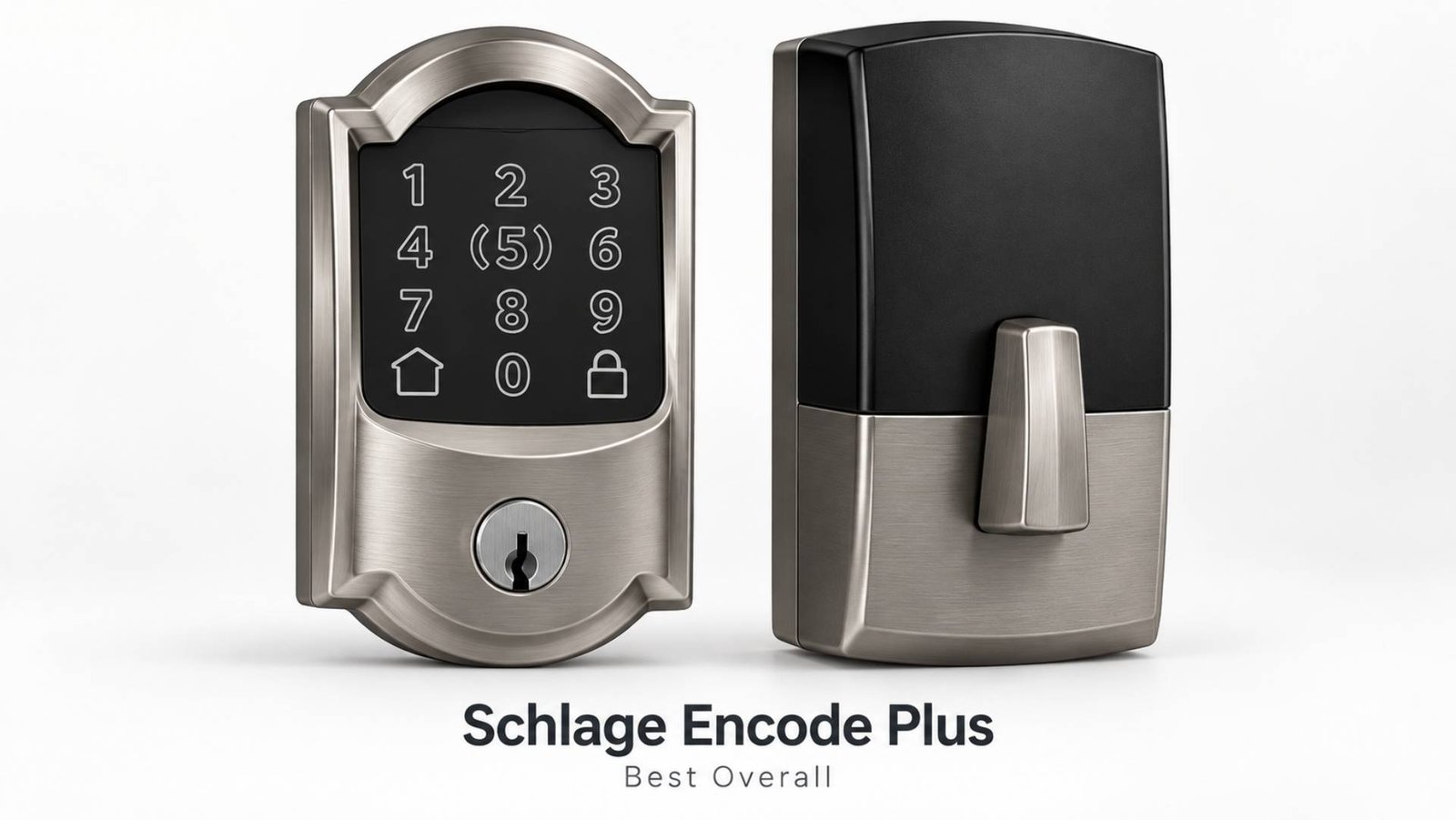
The Schlage Encode Plus earns the first position because it balances physical lock credentials, useful keyless access and simple remote management particularly well.
It supports Apple Home Key, so compatible iPhone and Apple Watch users can tap their device against the lock. There is also a touchscreen keypad, Schlage Home app access and a conventional backup key. Built-in 2.4GHz Wi-Fi allows remote locking, unlocking, code management and activity monitoring without a separate Wi-Fi bridge.
Best for: Homeowners who want a conventional-looking smart deadbolt with strong published security credentials.
Entry methods: Keypad, Apple Home Key, Schlage app and physical key.
Connectivity: Built-in Wi-Fi, plus Apple Home integration.
Smart-home compatibility: Apple Home/HomeKit, Amazon Alexa and Google Assistant.
Installation: Replaces a standard deadbolt and fits doors approximately 1⅜ to 1¾ inches thick with 2⅜- or 2¾-inch backsets. Schlage says installation requires only a screwdriver on compatible doors.
Key features:
- Up to 100 access codes
- Auto-lock
- Built-in alarm
- Remote management
- Apple Home Key
- Physical backup key
Potential drawbacks:
- No fingerprint reader
- Higher price than many fingerprint-equipped competitors
- Best Apple functionality depends on compatible Apple hardware
Approximate price: $329 direct from Schlage.
Editorial Assessment
A major reason to consider the Encode Plus is its published physical-security documentation. Schlage lists ANSI/BHMA A156.40 Grade AAA and A156.36 Grade 1 certifications for the model. The company also specifies four AA batteries and an expected battery life of up to around six months under typical use.
It is not the most technologically ambitious smart lock here, but its combination of keypad access, remote control, Home Key and established deadbolt credentials makes it a well-rounded choice. Buyers who specifically want fingerprints, Matter or automatic UWB unlocking should look further down the list.
2. Schlage Sense Pro — Best for Advanced Hands-Free Entry
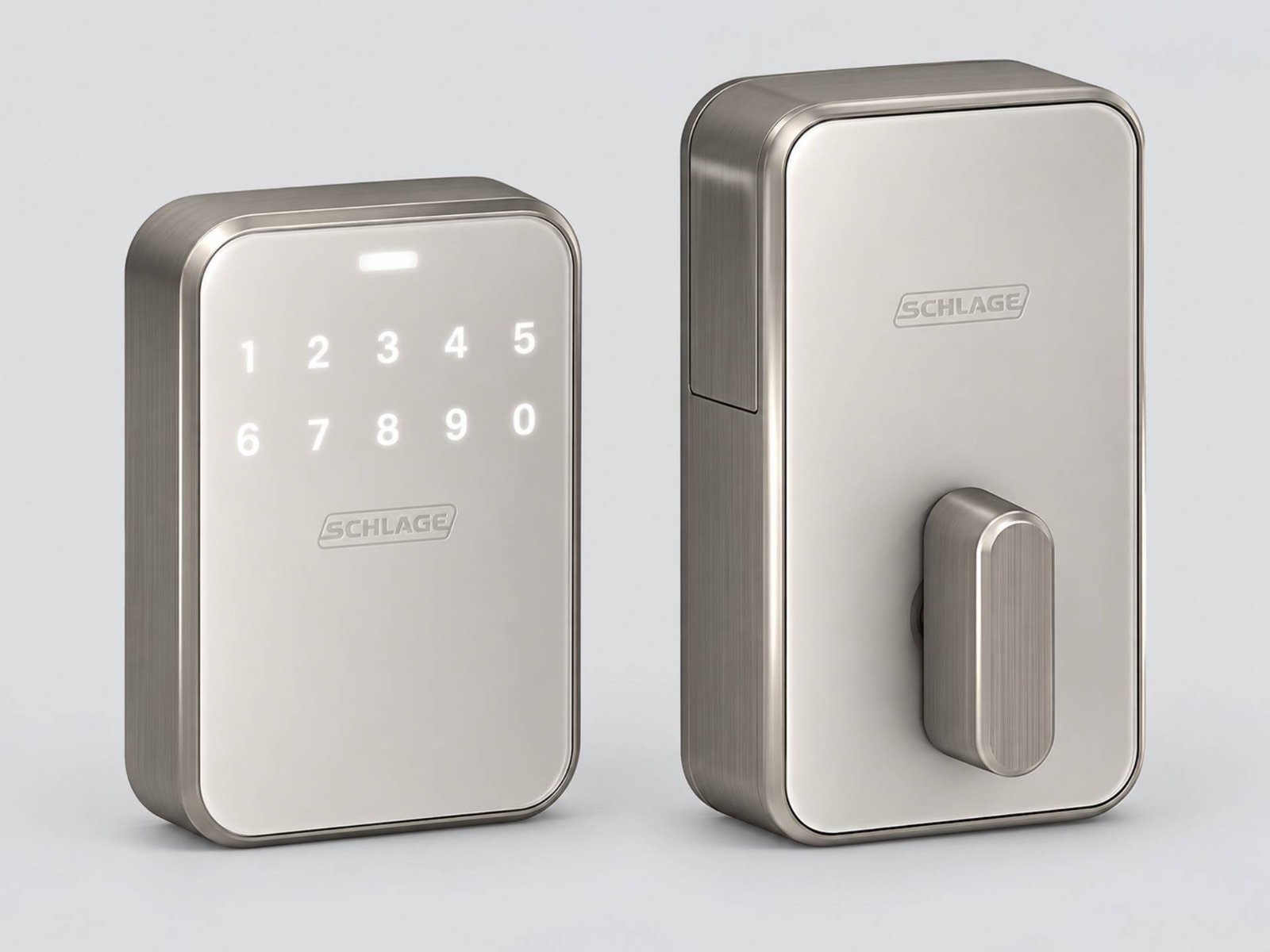
The Schlage Sense Pro is Schlage’s newer premium smart deadbolt. It adds Ultra Wideband, Matter over Thread and hands-free Apple Home Key functionality.
Its UWB-based Schlage Converge system evaluates the approaching device’s position and movement rather than relying only on broad geofencing. Compatible iPhones and Apple Watches can therefore unlock the door as an authorised user approaches.
Best for: Apple households wanting premium hands-free entry and Matter support.
Entry methods: Apple hands-free Home Key, tap-to-unlock Home Key, keypad and app access.
Connectivity: Built-in Wi-Fi, Bluetooth and Matter over Thread.
Smart-home compatibility: Matter-compatible ecosystems; Apple Home functionality is particularly prominent.
Installation: Standard deadbolt replacement on compatible doors.
Key features:
- UWB hands-free unlocking
- Matter over Thread
- Up to 250 access codes
- Built-in Wi-Fi
- USB-C emergency power
- Key-free exterior design
Potential drawbacks:
- $399 starting price
- No conventional external keyway
- Hands-free Apple entry requires compatible Apple hardware and an appropriate home hub
- Its published physical-security grading differs from the Encode Plus
Approximate price: $399.
Editorial Assessment
Sense Pro is more advanced electronically than Encode Plus. It offers Matter over Thread, built-in Wi-Fi and one of the most sophisticated hands-free entry systems in this comparison. However, current Schlage specifications list it as ANSI Grade 2 with a BAA residential Security, Durability and Finish rating, whereas Encode Plus carries Schlage’s higher published AAA/Grade 1 credentials.
That trade-off matters. Sense Pro is a compelling premium convenience choice, but buyers whose main priority is documented physical lock grading rather than UWB access may still prefer Encode Plus.
3. Aqara Smart Lock U400 — Best for Entry Options
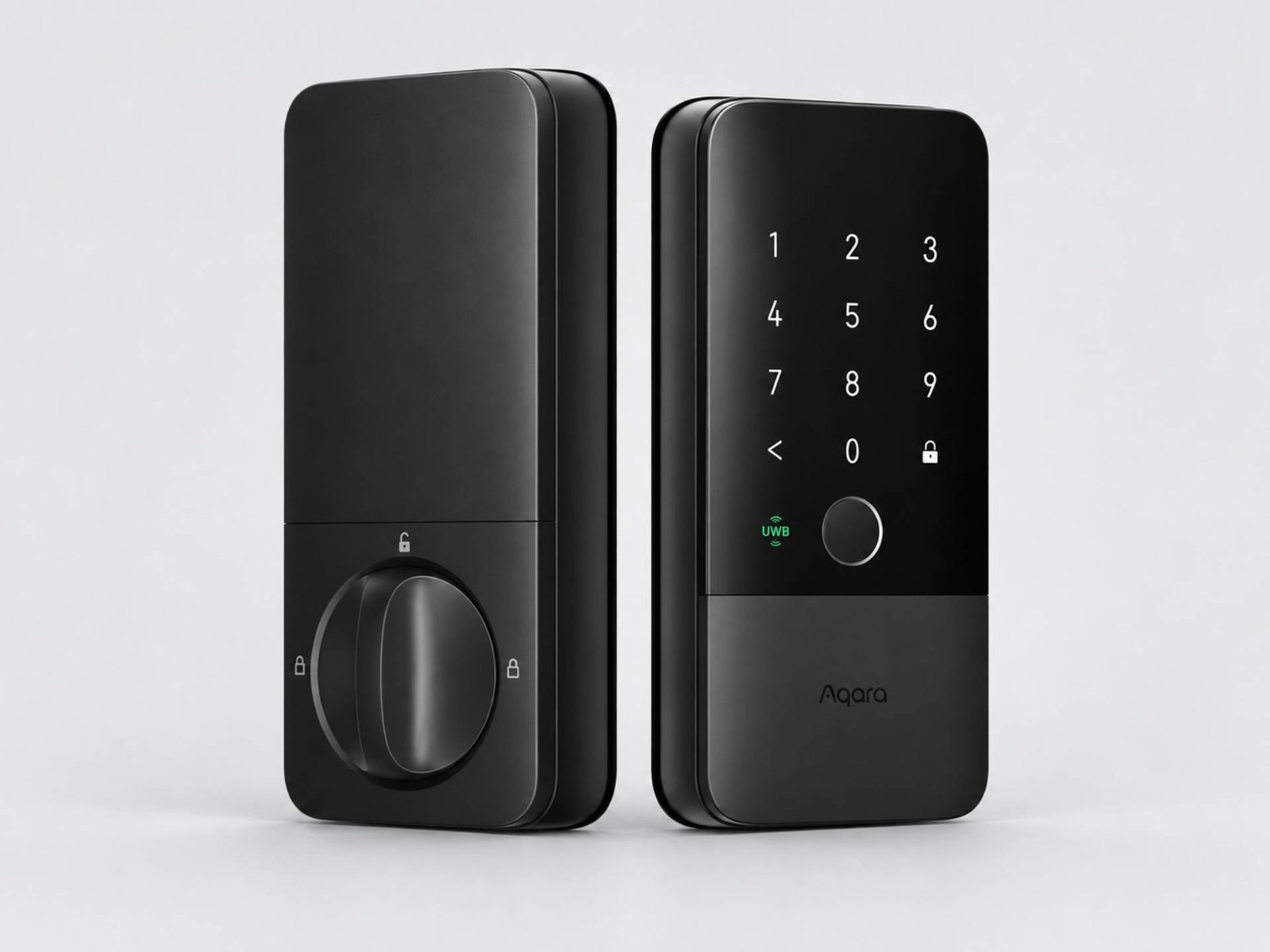
The Aqara Smart Lock U400 is one of the most feature-dense products in the group.
It combines UWB hands-free unlocking, fingerprint recognition, touchscreen codes, Apple Home Key, app access, NFC support, voice control and a physical key. Matter over Thread provides multi-ecosystem integration, although an appropriate Thread-enabled Matter controller is required for the selected smart-home platform.
Best for: Buyers who want as many entry choices as possible.
Entry methods: UWB, fingerprint, keypad, Home Key, app, NFC and physical key.
Connectivity: Matter over Thread.
Smart-home compatibility: Apple Home, Google Home, Amazon Alexa, Samsung SmartThings and Home Assistant through Matter.
Installation: Replaces a compatible single-cylinder deadbolt.
Key features:
- UWB automatic approach unlocking
- Fingerprint reader
- Anti-peep keypad
- Apple Home Key
- Matter over Thread
- Rechargeable battery
- Rekeyable cylinder
- Emergency USB-C power
Potential drawbacks:
- UWB functionality has device and Apple hub requirements
- Large interior housing compared with minimalist locks
- Door dimensions must be checked carefully
- Different retail versions may include different accessories
Approximate price: $269.99 from Aqara’s US store.
Editorial Assessment
The U400 offers unusually broad access flexibility without forcing users to depend on one method. Fingerprints can serve daily household entry, Home Key can suit Apple users, codes can be assigned to visitors, and a mechanical key remains available as a backup.
Aqara states that its removable lithium battery can last up to six months per charge, and the exterior is IP65 rated. Those are manufacturer claims rather than independent measurements, so actual battery life will depend on usage and conditions.
For households that value features and Matter interoperability, the U400 is particularly compelling.
4. Yale Assure Lock 2 Touch — Best Mainstream Fingerprint Lock
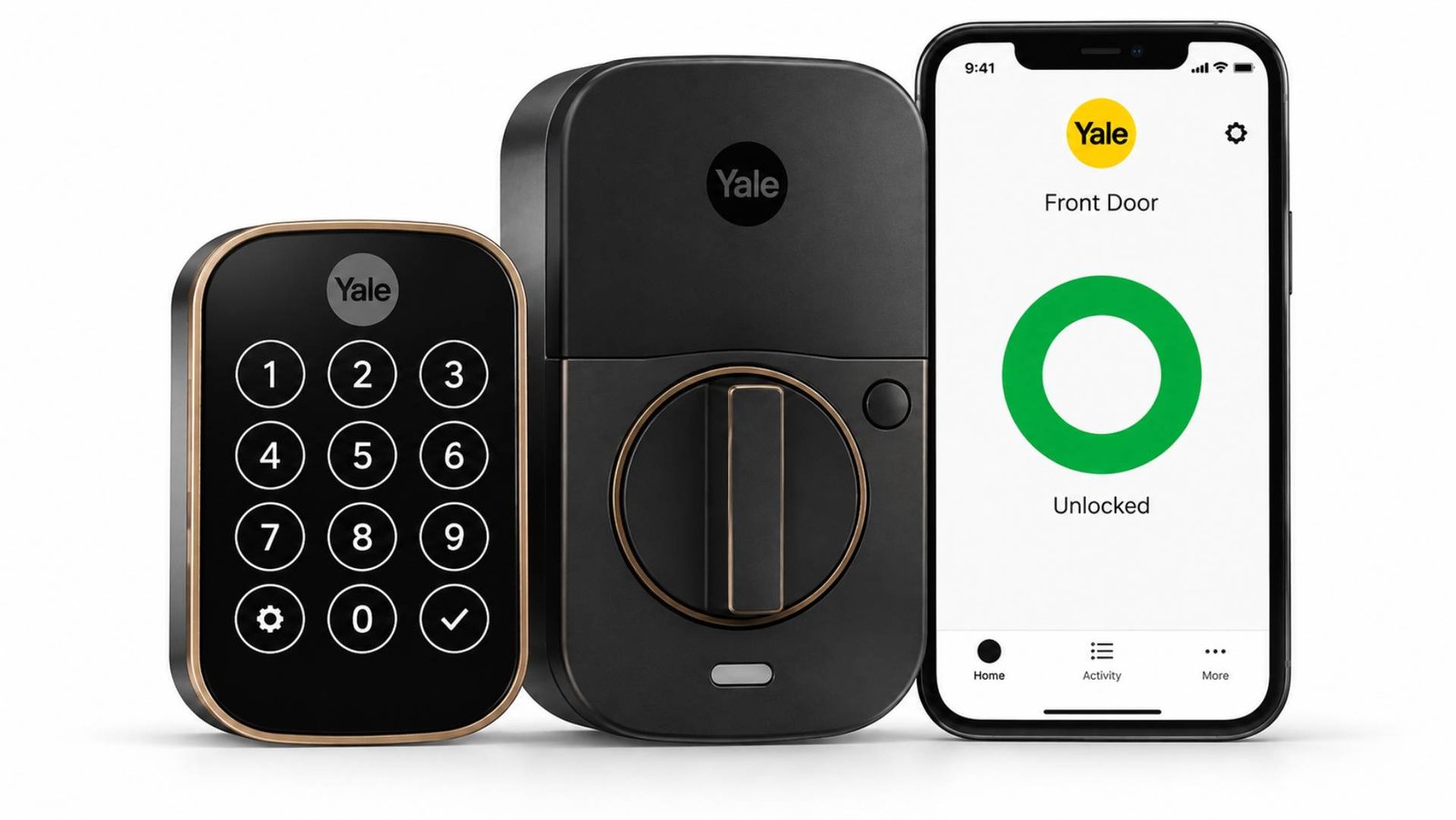
The Yale Assure Lock 2 Touch combines a familiar Yale deadbolt design with fingerprint access.
The biometric reader is built into the Yale logo, while users can also enter through the keypad, Yale Access app, Apple Watch or a backup key on keyed versions. Wi-Fi models provide remote access, and Yale also offers modular connectivity options on compatible configurations.
Best for: Families who want fingerprint entry from an established lock manufacturer.
Entry methods: Fingerprint, keypad, app, Apple Watch and optional physical key.
Connectivity: Bluetooth as standard; Wi-Fi and other module options depend on configuration.
Smart-home compatibility: Apple HomeKit, Alexa, Google Home and Samsung SmartThings are among the supported integrations, depending on the selected technology module.
Installation: Replaces a standard compatible deadbolt.
Key features:
- Fingerprint access
- DoorSense
- Scheduled guest codes
- Auto-lock
- Keyed and key-free versions
- Modular connectivity
Potential drawbacks:
- Yale sells numerous configurations, making pricing and compatibility less straightforward
- Remote functions depend on the chosen module
- Apple Home Key belongs to the Assure Lock 2 Plus family rather than being a standard Touch feature
Approximate price: Around $210 for some Touch configurations, with the Wi-Fi touchscreen version listed around $279.99 at the time of research.
Editorial Assessment
Yale states that fingerprints are stored locally using AES-128 encryption, and the Assure Lock 2 Touch is tested to ANSI/BHMA Grade 2. The Wi-Fi model also uses four AA batteries.
Its strongest advantage is flexibility. Rather than making every buyer use the same network technology, the Assure platform allows different connectivity configurations. The downside is that shoppers need to read the exact model number carefully; two Assure Lock 2 products can look similar while supporting different smart-home functions.
5. ULTRALOQ Bolt Fingerprint — Best Value for Fingerprint and Matter
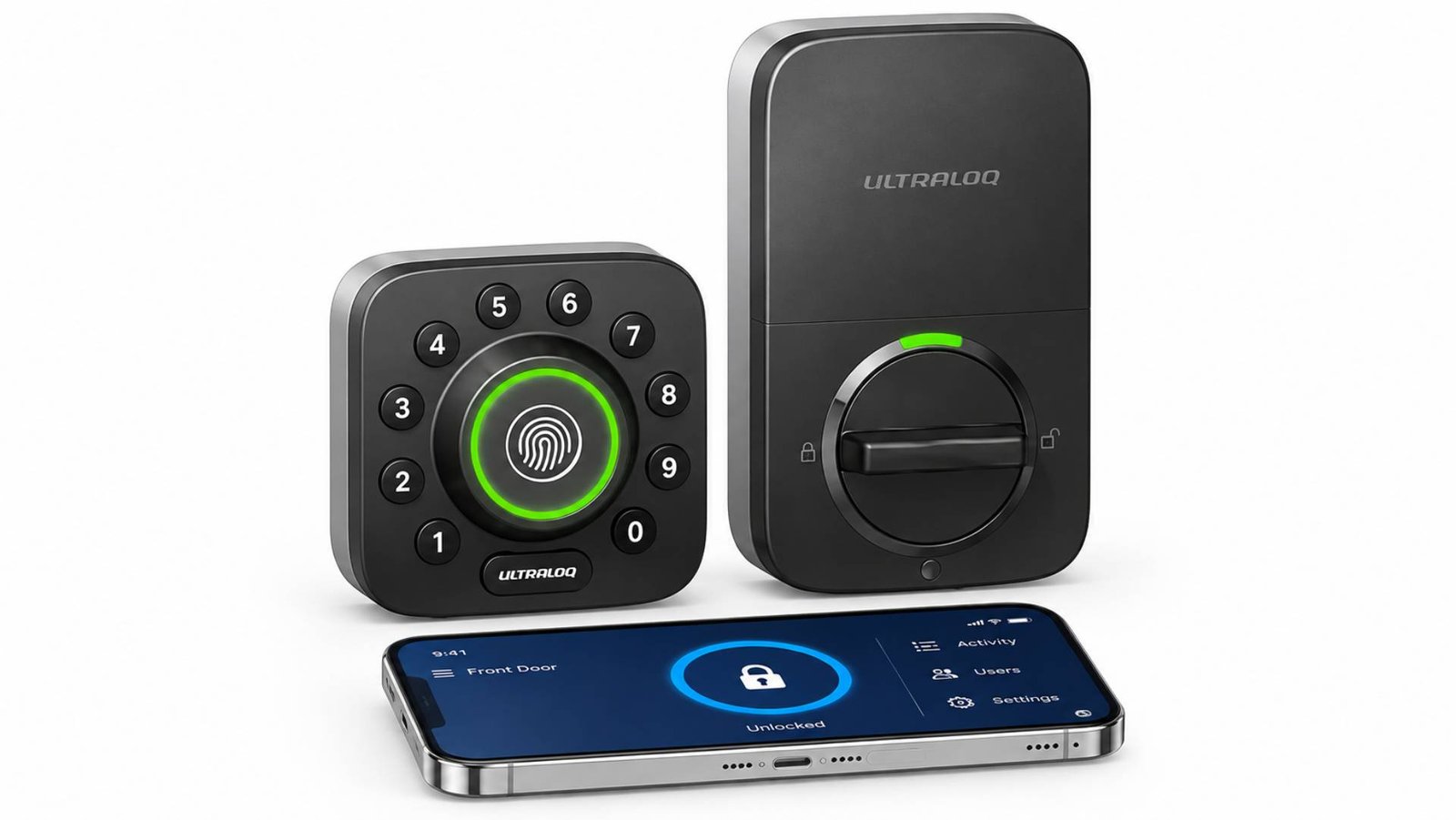
The ULTRALOQ Bolt Fingerprint is designed for buyers who want several keyless-entry methods without moving into the $300–$400 price bracket.
Current versions include an Apple Home + Wi-Fi + Bluetooth edition and a Matter-over-Thread edition. The Matter model works with compatible platforms such as Apple Home, Alexa, Google Home and Samsung SmartThings when used with a suitable Thread-enabled hub.
Best for: Value-conscious buyers wanting fingerprints and broad smart-home options.
Entry methods: Fingerprint, keypad code, phone app, Apple Watch, auto-unlock and physical key.
Connectivity: Depends on version; Matter over Thread or Apple Home/Wi-Fi/Bluetooth options are available.
Smart-home compatibility: Varies by edition.
Installation: Standard deadbolt replacement.
Key features:
- Fingerprint reader
- Keypad
- Physical key
- Guest access
- Activity history
- Matter-over-Thread option
Potential drawbacks:
- Choosing the correct edition is important
- Some integrations require a compatible smart-home hub
- Manufacturer specifications differ between variants
Approximate price: Roughly $180–$200, depending on model and promotion.
Editorial Assessment
ULTRALOQ makes a strong case on functionality per dollar. The company claims up to a year of battery life for one version and up to 1.5 years for the Matter edition, although these figures should be treated as manufacturer estimates rather than guaranteed real-world results.
It is also worth noting that PCMag’s June 2026 smart-lock comparison selected the Bolt Fingerprint as its overall choice after hands-on testing. That external conclusion differs from this article’s ranking because our weighting places more emphasis on published physical-security credentials and backup resilience.
6. Level Lock Pro — Best Discreet Smart Lock
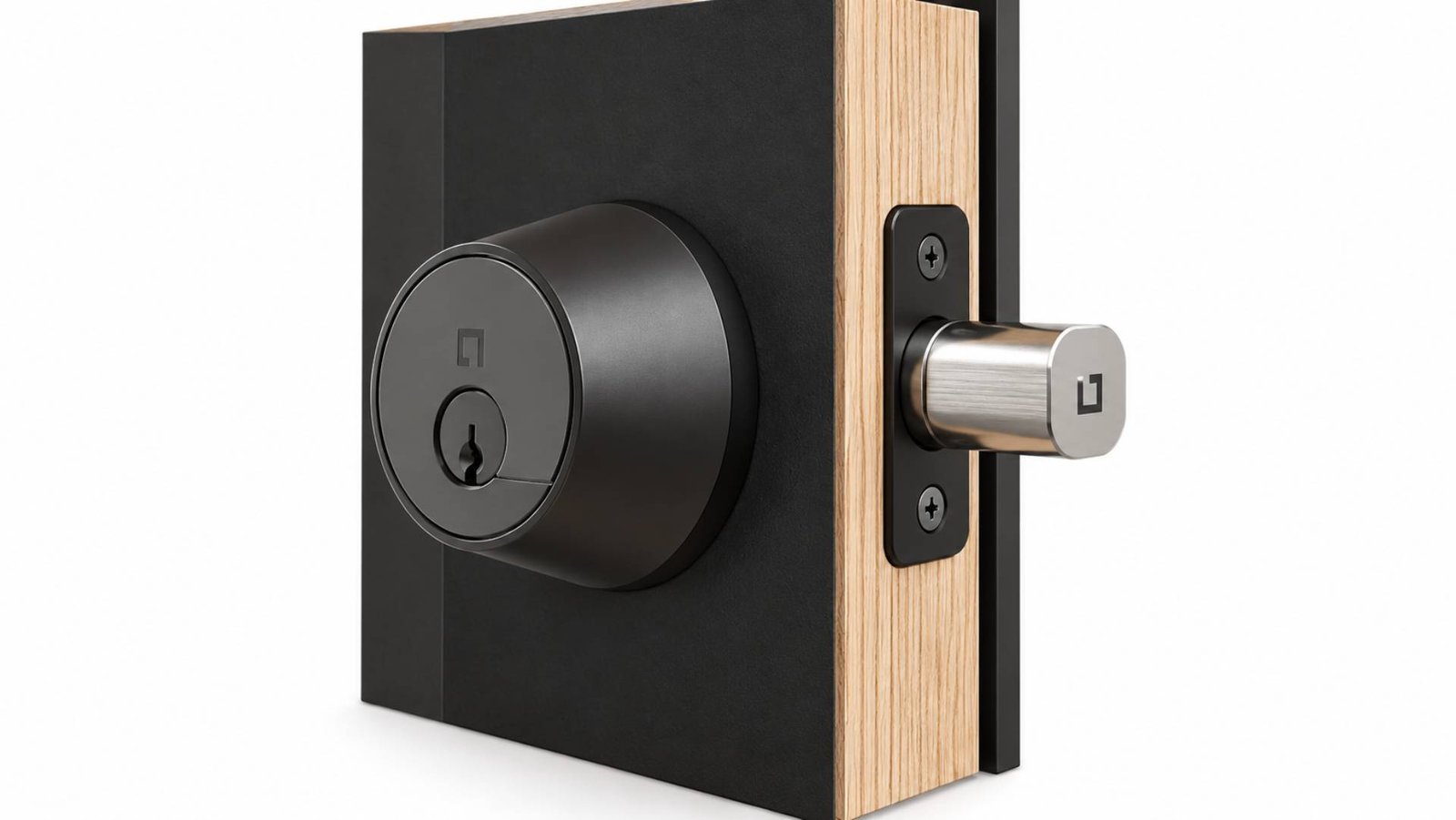
Most smart locks advertise themselves visually. Level Lock Pro takes the opposite approach by fitting its motor and electronics largely inside the door.
Despite the understated appearance, it supports Matter over Thread, Apple Home Key, the Level app, NFC key fobs and conventional keys. A separate Level Keypad can be added for PIN-code entry.
Best for: Design-conscious homeowners who dislike bulky smart-lock hardware.
Entry methods: Apple Home Key, app, NFC fob and physical key; keypad available separately.
Connectivity: Bluetooth and Matter over Thread.
Smart-home compatibility: Apple Home, Alexa, Google Home and SmartThings via Matter.
Installation: Complete replacement for many American-standard deadbolts.
Key features:
- Minimal visible smart hardware
- Built-in door-status detection
- Matter over Thread
- Apple Home Key
- Physical key backup
- Up to one-year claimed battery life
Potential drawbacks:
- $349 purchase price
- Keypad costs extra
- Matter remote access requires a compatible Matter-over-Thread hub
- Door dimensions are relatively strict
Approximate price: $349, plus $79 if the optional keypad is required.
Editorial Assessment
Level’s published technical specifications are a strength. Lock Pro is listed as BHMA Certified AAA, with ANSI 156.18 and 156.40 Grade 1/A information, and runs on a single CR2 lithium battery with manufacturer-stated life of up to one year under typical conditions.
The main trade-off is value. A $349 lock that still requires a separate keypad will not suit everyone. But buyers who want strong smart-home compatibility without a large touchscreen dominating the outside of the door may find that compromise worthwhile.
7. August Wi-Fi Smart Lock — Best for Retrofit Installation
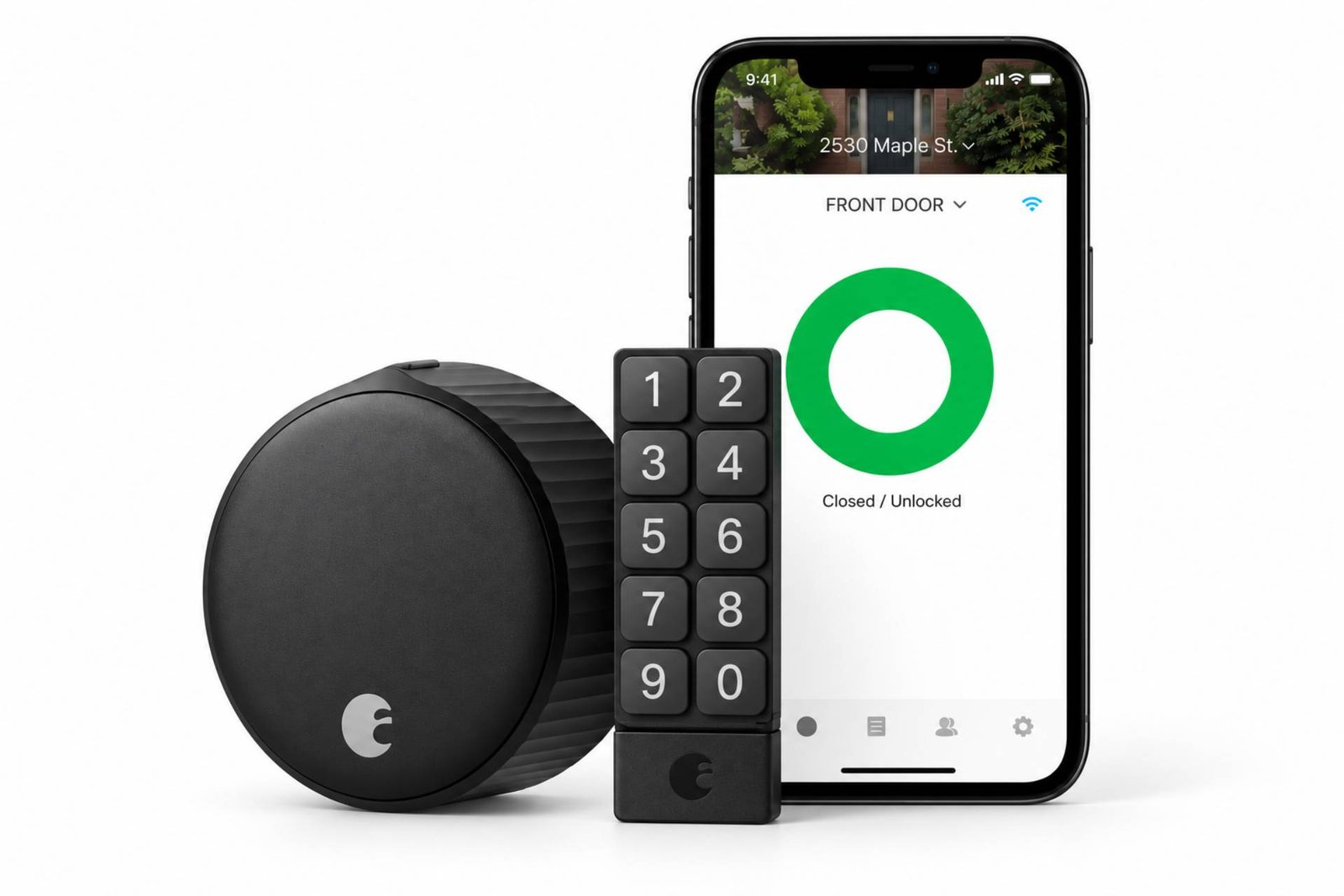
The August Wi-Fi Smart Lock is different from most products above because it does not replace the entire deadbolt.
Instead, it attaches to the inside of a compatible existing single-cylinder deadbolt. The outside hardware remains intact, so household members can continue using the original physical key.
Best for: Renters and homeowners who want to retain their existing exterior lock.
Entry methods: Smartphone, Apple Watch, auto-unlock and existing physical key. Keypad and fingerprint accessories are available separately.
Connectivity: Built-in Wi-Fi and Bluetooth.
Smart-home compatibility: Siri/HomeKit, Alexa and Google Assistant.
Installation: Interior retrofit rather than full deadbolt replacement.
Key features:
- Keeps existing external lock
- Built-in Wi-Fi
- Remote access
- Auto-lock and auto-unlock
- DoorSense
- Guest access
Potential drawbacks:
- Base package has no exterior keypad
- Fingerprint entry requires an additional Keypad Touch accessory
- Interior unit is visually noticeable
- Compatibility must still be checked against the existing deadbolt
Approximate price: $199.99 for the lock itself.
Editorial Assessment
August remains useful because it solves a different problem from replacement smart locks. Someone who likes the appearance or keyed cylinder already on the door can gain remote access and automation without changing the exterior.
The lock uses two CR123 batteries and includes DoorSense. Because Wi-Fi is built into this generation, remote functions do not require the older separate August Connect bridge.
It is less compelling for people who specifically want fingerprint or keypad entry in one integrated unit, but it remains one of the most practical retrofit approaches.
Best Smart Locks by Use Case
Best for Overall Balance: Schlage Encode Plus
It combines a keypad, Home Key, remote Wi-Fi control, physical backup key and unusually strong published lock certifications without requiring another Wi-Fi bridge.
Best for Hands-Free Entry: Schlage Sense Pro
Ultra Wideband allows compatible Apple devices to provide more precise automatic entry than conventional Bluetooth proximity or broad geofencing.
Best for Multiple Entry Methods: Aqara U400
Fingerprint, UWB, Home Key, PIN, app, NFC and mechanical key access make it unusually flexible.
Best for Fingerprint Access: Yale Assure Lock 2 Touch
Yale combines biometric access with an established deadbolt platform and several connectivity choices.
Best for Matter Value: ULTRALOQ Bolt Fingerprint Matter
Its Matter-over-Thread version combines biometric access with multi-platform integration at a lower list price than many premium rivals.
Best for Minimalist Design: Level Lock Pro
Most of the technology remains inside the door rather than sitting in a large exterior or interior housing.
Best for Renters and Retrofit Installation: August Wi-Fi Smart Lock
It preserves the existing exterior deadbolt, which can make removal and restoration easier when moving.
How to Choose the Right Smart Lock
Check Your Door Before Comparing Features
Compatibility comes first. Many products here expect an American-standard deadbolt with specific bore-hole, backset and door-thickness measurements. A smart lock with ideal software is useless if it does not physically fit your door.
Owners of European- or UK-style multipoint systems should look specifically for products designed for those mechanisms rather than assuming a US deadbolt replacement will fit.
Decide How You Want to Enter
A keypad works well for families and guests because no phone is required. A fingerprint reader provides quick everyday entry without remembering codes. Apple Home Key is convenient for compatible iPhone and Apple Watch users, while UWB can go further by unlocking as an authorised device approaches.
A physical key remains a useful fallback for buyers who prefer mechanical backup.
Understand Wi-Fi, Matter and Thread
These terms are related but not interchangeable.
Wi-Fi can provide direct internet connectivity. Matter is an interoperability standard that lets compatible smart-home platforms communicate with supported devices. Thread is a low-power mesh networking technology often used to carry Matter traffic.
A Matter-over-Thread lock generally needs a compatible Thread border router or Matter controller for remote smart-home functions. Buying a Matter lock does not automatically mean it connects directly to your Wi-Fi router.
Check Remote-Access Requirements
August and Schlage’s Wi-Fi models can connect directly to a home Wi-Fi network for manufacturer-app remote functions. Other locks may require a hub, Thread border router or bridge.
Include the cost of that hardware when comparing prices.
Think About Backup Access
Ask what happens when:
- The batteries are exhausted
- Your phone is unavailable
- Your internet connection fails
- Your smart-home hub stops responding
The better products provide more than one fallback, such as a physical key, keypad, Bluetooth access or emergency USB power.
Consider Guest Management
Temporary or scheduled PINs can be particularly useful for cleaners, dog walkers, tradespeople, relatives and short-term visitors.
Check whether codes can expire automatically and whether remote code creation requires additional hardware.
Compare the Full Cost
A $200 lock may become a $280 setup after adding a hub or keypad. Likewise, a more expensive lock with built-in Wi-Fi and an integrated keypad may need fewer accessories.
Compare the complete system you actually intend to use, not only the headline price.
Are Smart Locks Safe?
A smart lock adds electronic access controls to a physical locking mechanism. That means security depends on both parts of the system.
For the mechanical side, look for published ANSI or BHMA testing where available and ensure the lock is fitted correctly to a solid, properly aligned door and strike plate.
For the digital side, use a strong account password, enable two-factor authentication when the manufacturer supports it, keep firmware and apps updated, remove old guest accounts and codes, and review access notifications periodically.
Smart locks should not be described as impossible to hack or burglar-proof. Likewise, it would be misleading to claim that a smart lock is automatically less secure than a conventional deadbolt. The actual risk depends on the hardware, installation, software, account security and how the lock is managed.
Frequently Asked Questions
Are smart locks safer than traditional locks?
Not automatically. A quality smart lock can provide useful safeguards such as automatic locking, access logs, temporary codes and tamper alerts, while a conventional lock avoids networked attack surfaces. Physical certifications, door installation, software security and account protection all matter. Compare specific products rather than assuming either category is universally safer.
Can smart locks work without Wi-Fi?
Yes. Many locks can continue operating locally through a keypad, fingerprint reader, Bluetooth, Home Key or physical key when internet access is unavailable. However, remote control, cloud notifications and some voice-assistant functions may stop working until connectivity returns.
What happens when a smart lock battery dies?
The answer varies by model. Some retain a physical keyway, while others provide external USB power or another emergency-power method. Good smart locks also provide low-battery warnings well before the lock stops operating. Check the exact backup method before purchasing.
Do smart locks requirea monthly subscription?
Many mainstream smart locks do not require a subscription for basic locking, unlocking and access-code functionality. However, some connected-home services, video functions or third-party integrations may have separate fees. Always check the current manufacturer policy rather than assuming all functions are free.
What is the difference between Matter and Thread?
Matter is a smart-home interoperability standard. Thread is a low-power mesh networking protocol. A lock described as “Matter over Thread” uses Thread as the network technology while Matter provides the common application standard that allows supported platforms to communicate with the lock.
Can renters use smart locks?
Some can. Retrofit products such as the August Wi-Fi Smart Lock modify only the interior side of many existing deadbolts, making it easier to preserve the original outside hardware. Renters should still obtain any permission required by their tenancy agreement or property owner before changing door hardware.
Final Thoughts
There is no single smart lock that suits every door and household.
The Schlage Encode Plus offers a strong balance of physical lock credentials, keypad access, Home Key and built-in Wi-Fi. The Schlage Sense Pro and Aqara U400 move further towards hands-free UWB entry, while Yale and ULTRALOQ make fingerprint access particularly practical. Level Lock Pro prioritises discreet design, and August remains useful where replacing the exterior deadbolt is undesirable.
Before buying, confirm your door dimensions, preferred entry method, smart-home ecosystem, hub requirements, backup method and total system cost. Those details matter more than any single “best” label.
Editorial Disclosure
No information about the publisher’s affiliate, advertising, sponsorship, client or other commercial relationships was supplied for this draft. Before publication, add the publication’s actual disclosure wherever such a relationship exists. Commercial relationships should not be allowed to secretly determine inclusion or ranking.
Review Disclaimer
This guide is based primarily on editorial research, current manufacturer documentation and reliable third-party information. The products were not personally installed or laboratory-tested for this article unless explicitly stated otherwise.
Prices, firmware, integrations, product availability and smart-home compatibility can change. Battery-life figures identified as manufacturer estimates should not be interpreted as guaranteed real-world results. Verify current specifications and door compatibility directly with the manufacturer before purchasing.